One-Click Drawing
The One-Click Drawing tool allows you to instantly generate a standardized drawing from your 3D model with minimal effort. It is designed for quick documentation where a full, custom drawing structure is not required.
🚀 How to use
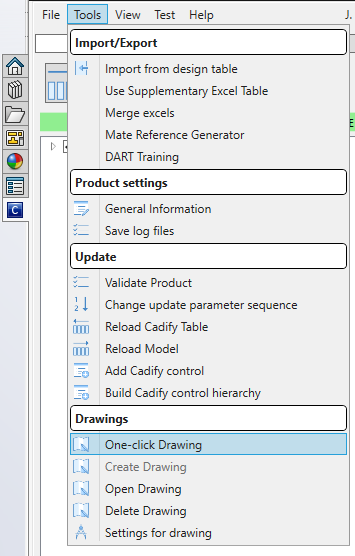
- Navigate to the Main Menu in the Cadify Task Pane.
- Select Tools → One-click Drawing.
Configuration Options
When you trigger the command, you will be presented with a decision:
- Automatic Dimensions (Yes/No):
- Yes: Cadify will attempt to automatically insert and arrange model dimensions onto the drawing views.
- No: The drawing will be created with the standard views, but you can manually add dimensions later if needed.
Standard Template
One-Click Drawing uses a pre-defined template to ensure consistency:
- Template Name:
Cadify A4 EN Portrait.DRWDOT - Sheet Size: A4
- Orientation: Portrait
⚡ Benefits
- Speed: Generate a production-ready drawing in seconds.
- Consistency: Always uses the same approved template and layout.
- Automation: Reduces manual view placement and dimensioning.
Tip
If you need more advanced drawing features like custom sheet formats, multiple sheets, or manual dimension management, see the Drawings documentation.